Installments and interest
Offer card installments on sales in reais, with interest-free installments, a minimum installment and monthly interest calculated with the Price table.
The buyer chooses how many installments to pay in right on the checkout. You decide the maximum number of installments to offer, how many are interest-free, the smallest installment you accept and how much interest to charge on the rest. The rules for one-time sales and for subscriptions are separate.
Before you start
- A connected account at a provider that supports installments. The installments screen lists them: Providers that accept installments: Pagar.me, Mercado Pago, Asaas. Stripe and Paystack do not do installments.
- The Admin or Owner role in the Vipter project.
Only for credit cards in reais
Step 1: turn on installments for one-time sales
- Open PaymentsInstallments.
- On the One-time sales card, turn on Offer installments.
- Fill in the fields:
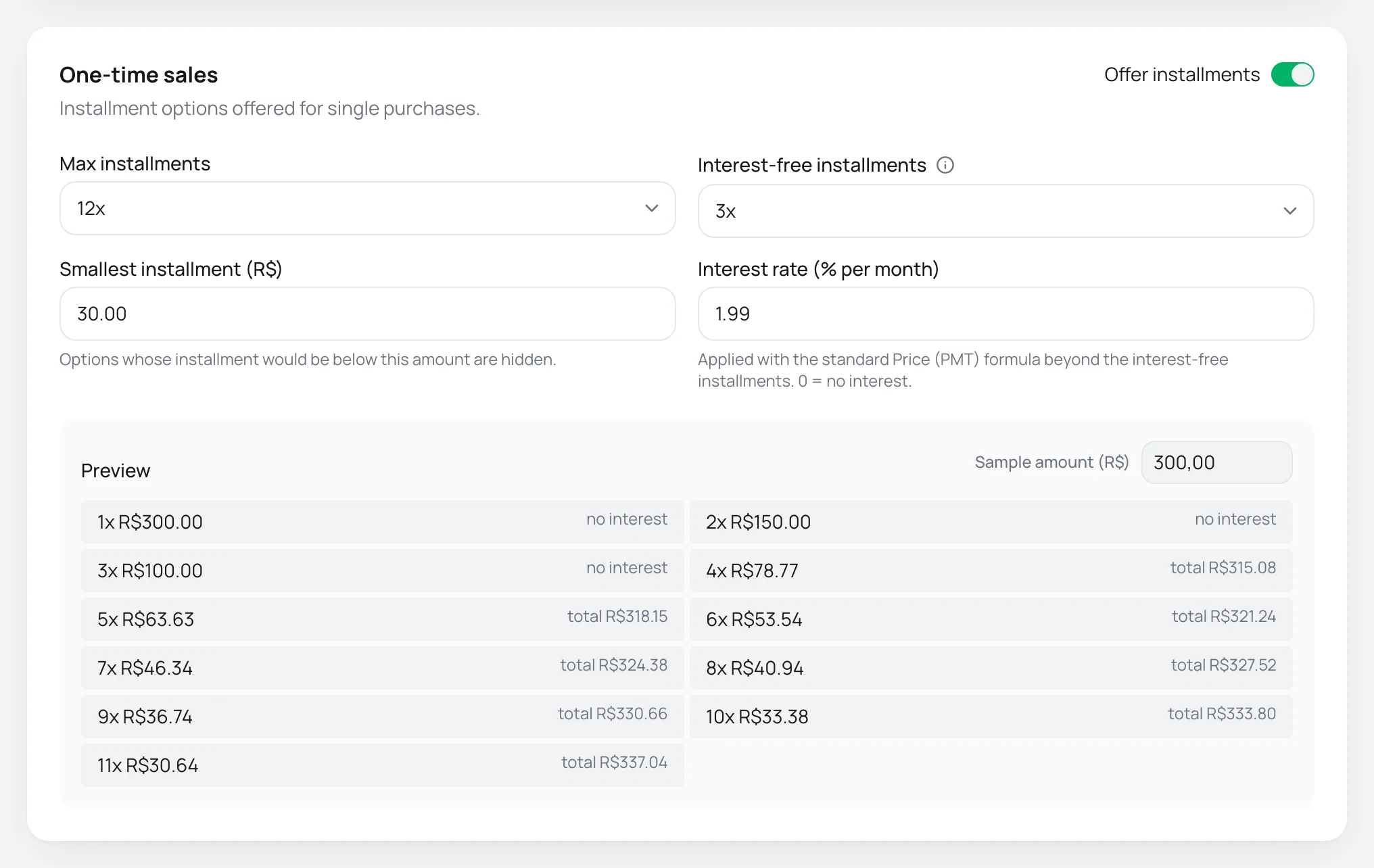
| Field | What it does |
|---|---|
| Max installments | The largest number of installments offered, from 1x to 12x. |
| Interest-free installments | Up to this count the total does not change. It cannot be higher than the maximum number of installments. |
| Smallest installment (R$) | Options whose installment would be below this amount are hidden. |
| Interest rate (% per month) | Monthly interest charged on installments beyond the interest-free ones. Accepts 0 to 20. With 0, every installment is interest-free. |
- Check the Preview. Change the Sample amount (R$) to see the options for another price.
- Click Save changes.
Vipter sends the provider the total amount with interest and the number of installments chosen. You do not need to set up interest in Pagar.me, Mercado Pago or Asaas, and the interest is recorded on each order.
How interest is calculated
Up to the number of Interest-free installments, the total does not change: R$ 300.00 in 3x is three installments of R$ 100.00. Beyond that, the installment is calculated with the Price table (the standard fixed-payment amortization formula), with compound interest over all installments:
installment = amount × rate ÷ (1 − (1 + rate)^−installments)The installment is rounded to the cent, and the total is the installment times the number of installments.
Example. A R$ 300.00 product, with 12x at most, 3x interest-free, a minimum installment of R$ 30.00 and interest of 1.99% per month:
| Installments | Installment amount | Total paid |
|---|---|---|
| 1x to 3x | R$ 300.00 divided by the number of installments | R$ 300.00 |
| 4x | R$ 78.77 | R$ 315.08 |
| 6x | R$ 53.54 | R$ 321.24 |
| 10x | R$ 33.38 | R$ 333.80 |
| 11x | R$ 30.64 | R$ 337.04 |
| 12x | R$ 28.35, below the minimum installment | not shown |
12x would fall below R$ 30.00, so the checkout shows 11x at most. With the minimum installment at R$ 25.00, 12x would show.
Step 2: installments on subscriptions (optional)
On the Subscriptions card, turn on Offer installments and choose the Max installments and the Smallest installment (R$).
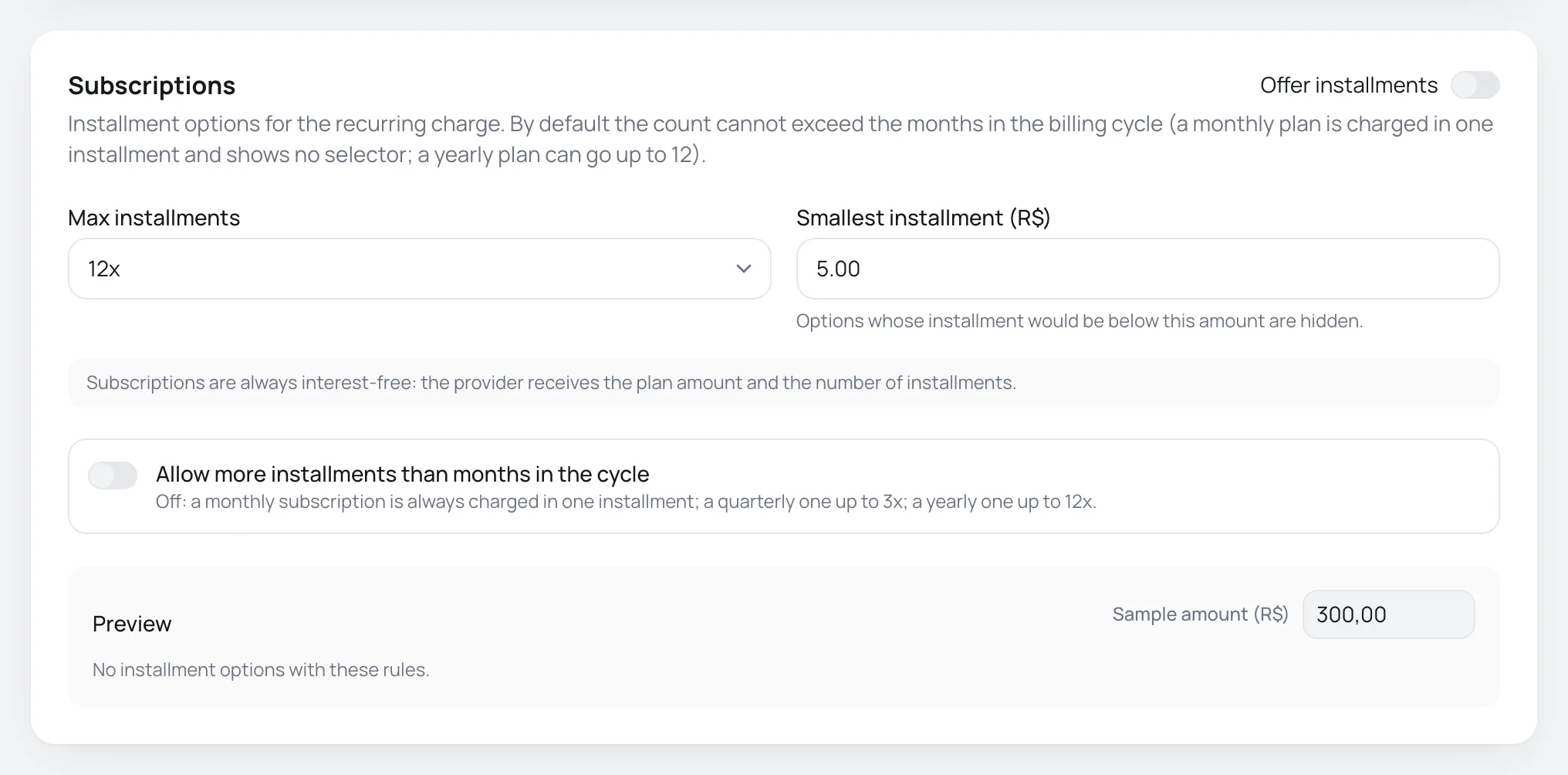
The subscription rules are different:
- Subscriptions are always interest-free: the provider receives the plan amount and the number of installments.
- The number of installments does not go above the months in the cycle: a monthly plan is charged in 1x, a quarterly one in up to 3x and a yearly one in up to 12x. Cycles shorter than a month do not allow installments.
- Turn on Allow more installments than months in the cycle to allow more installments than months in the cycle, within the maximum and the minimum installment.
What the buyer sees
The installment selector shows on the checkout when the sale is in reais, by credit card, the rule for that kind of sale is on and there is more than one option. When only 1x fits, the selector does not show.
When you save a rule that is on, Vipter also enables installments on your Pagar.me, Mercado Pago and Asaas accounts. If every rule is off, it undoes that.
Common problems
-
The rule was saved, but not every provider connection took the change. Save again in a moment.
The rule was saved, but a payment account did not get the update. Click Save changes again in a few moments.
-
Check the highlighted values.
A value is out of range: the interest rate goes from 0 to 20 and the minimum installment cannot be negative.
-
The checkout shows no installments
Check that the sale is in reais and by credit card, that the rule for the kind of sale (one-time or subscription) is on and that the store has an active account at a provider that does installments. On a monthly subscription, the selector does not show unless Allow more installments than months in the cycle is on. Also check that the minimum installment is not too high for the price: the Preview shows No installment options with these rules. when no option fits.
What to do next
- Use the number of installments as a condition in payment flows, for example to send sales in 10x or more to a specific account.
- Make a test purchase in installments: test your store.