UTM script and sales sources
Carry UTMs and click identifiers from your sales page to the checkout, and see in Sales sources where your paid sales came from.
When the ad leads straight to the checkout, Vipter already reads the UTMs and click identifiers in the link. When the ad leads to a sales page on your website, that data stays on the page and gets lost on the click to the checkout. The UTM script fixes that. Then the Sales sources tab shows where the sales came from.
Before you start
- The Admin or Owner role in the Vipter project.
- Access to edit your sales page's HTML, or a "footer code" field in your page builder.
Step 1: copy the script
- Open GeneralConversionsPreferences.
- Under UTM script for your sales page, click the copy button next to the code.
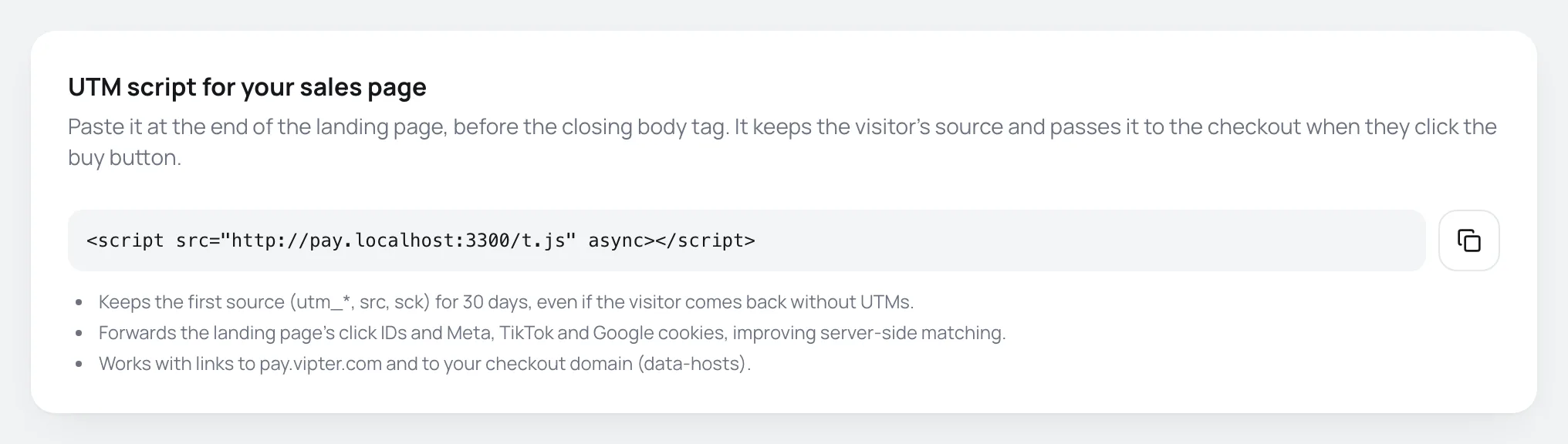
The code is a single line:
<script src="https://pay.vipter.com/t.js" async></script>With a custom domain active, the copied code already comes with data-hosts="your-domain", such as data-hosts="checkout.yourstore.com".
Step 2: paste it on the sales page
Paste the code on every page from which the visitor can go to the checkout, at the end of the page, before the closing </body> tag. In builders such as WordPress, Elementor and similar, use the footer scripts field.
The script doesn't change how the page looks.
Step 3: check
- Open the sales page with UTMs in the address, such as
?utm_source=teste&utm_campaign=script. - Click the buy button.
It worked if
The checkout address opens with utm_source=teste and utm_campaign=script. After a test purchase, the order shows that source in the Source and conversions card and the sale shows up in Sales sources.
What the script does
- Stores in the visitor's browser, for 30 days, the UTMs (
utm_source,utm_medium,utm_campaign,utm_content,utm_term,utm_id),srcandsck. The first source wins: if the visitor comes back later without UTMs, or through another campaign, the stored source stays the first one. - Stores the ads' click identifiers (
fbclid,gclid,gbraid,wbraid,ttclid,epik,tblci,ob_click_id,msclkid). For these, the most recent click wins. - When someone clicks a link to the checkout, it adds this data to the link, along with your page's Meta (
_fbp,_fbc), TikTok (_ttp) and Google Analytics (_ga) cookies. This improves matching for the events sent from the server. - Never replaces a parameter the link already has.
- Also carries the seller code (
?v=), if the visitor arrived through a seller link. In that case, the last one wins.
The data-hosts attribute
The script only touches links that point to Vipter's checkout (pay.vipter.com). data-hosts adds other addresses, separated by commas:
<script src="https://pay.vipter.com/t.js" data-hosts="checkout.yourstore.com,payment.yourstore.com" async></script>Use it when the page's buttons lead to your own checkout domain. If you activate a domain after pasting the script, copy the code again or add the domain to data-hosts.
Buttons that aren't links
The script works on links (<a href="…">). If the buy button opens the checkout with JavaScript, ask whoever maintains the page to pass the address through window.vipterDecorate:
window.location.href = window.vipterDecorate('https://checkout.yourstore.com/your-offer');Sales sources
Open GeneralConversionsSales sources. Where paid sales come from: UTMs, src/sck and click IDs captured on the checkout.

- Choose the period: Last 7 days, 30 or 90 days.
- Under Group by, choose the dimension.
- If you want, filter by a product and click Filter.
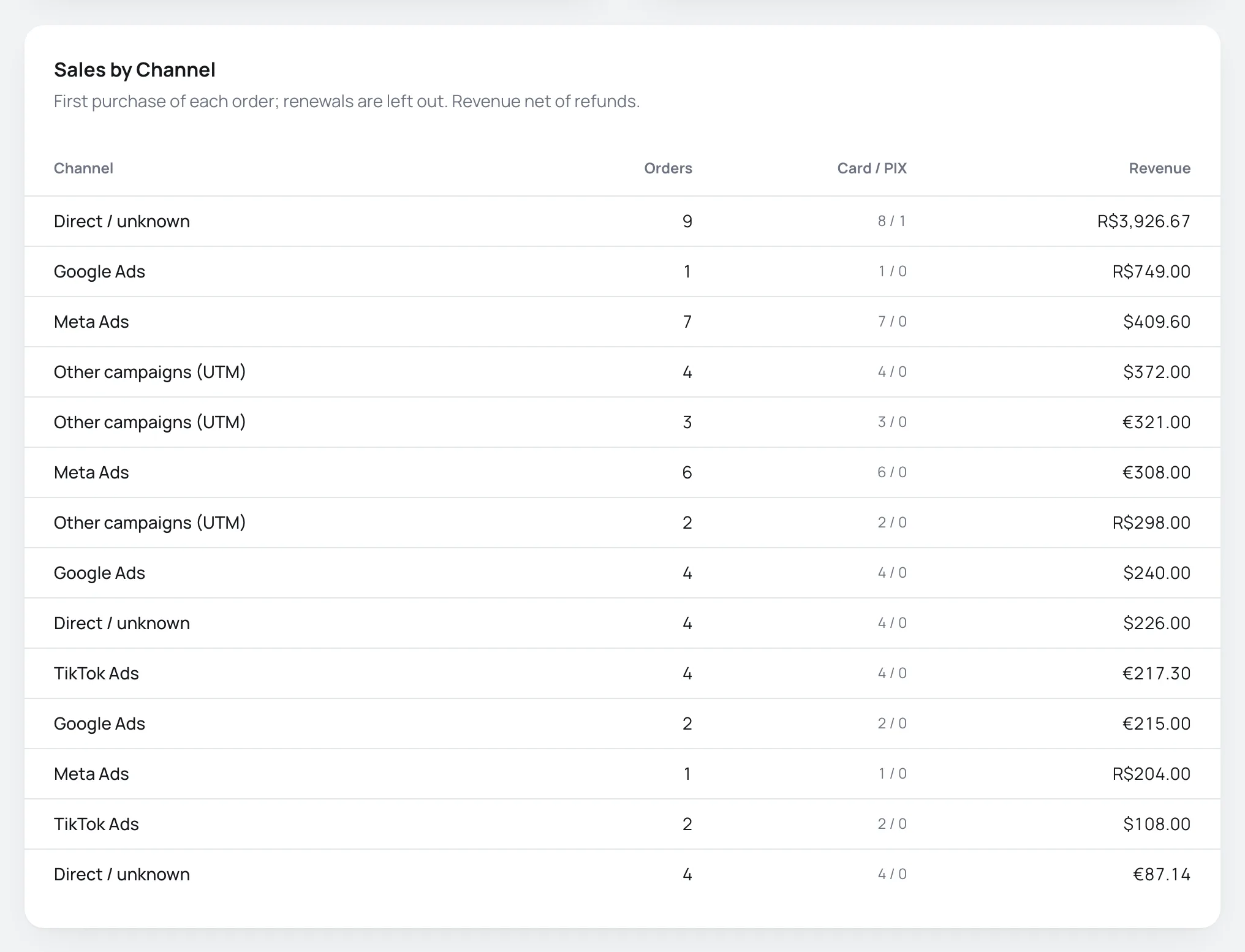
At the top, Paid orders and With a known source (Orders with UTMs, src/sck, an ad click ID or a referring site.). The table shows, per row, the orders, the Card / PIX split and the revenue.
How the channel is decided
With Channel, each sale goes into a channel, in this order:
| If the sale has | Channel |
|---|---|
fbclid or the _fbc cookie | Meta Ads |
gclid, gbraid or wbraid | Google Ads |
ttclid | TikTok Ads |
epik | Pinterest Ads |
tblci | Taboola |
ob_click_id | Outbrain |
msclkid | Microsoft Ads |
utm_source, with no click identifier | Other campaigns (UTM) |
| Only a referring website | Referring sites |
| None of these | Direct / unknown |
The click identifier beats the UTM. A sale from a Meta ad with utm_source=instagram goes into Meta Ads. To see the UTM, group by utm_source.
The other dimensions (utm_source, utm_campaign, utm_medium, utm_content, src, sck) group by the exact value. Sales without the parameter show as (not set).
What is counted
- Only orders paid in the period. Fully refunded orders are left out; for partial refunds, the revenue already has the refund deducted.
- Only the first purchase of each order. Subscription renewals are not included.
- Each currency has its own row. A channel with sales in reais and in dollars shows up twice.
- The Card / PIX split counts everything that isn't PIX (Brazil's instant payment) as card.
- The product filter also finds the product when it was sold as an order bump.
- Showing the 5,000 most recent orders of the period. shows when the period has more than 5,000 orders.
Common problems
-
Sales from the sales page show as Direct / unknown
The script isn't on the page, or the buttons lead to a domain that isn't in
data-hosts. Check Step 3. -
The checkout link opens without UTMs
The button isn't a regular link. Use
window.vipterDecorate, as in "Buttons that aren't links". -
The sale's campaign is from an old visit
This is expected: the first source from the last 30 days in the same browser wins.
What to do next
- Choose what each platform receives in what to send.
- Set up the checkout's cookie consent.
What to send: events, value and data
Choose each tracking account's events, the conversion value and currency, the matching data and the per-product exceptions.
Cookie consent and domain verification
Decide whether the checkout pixels wait for the buyer's consent, and verify your domain with Meta, Pinterest and Google through a meta tag.