Connect Fathom
Record checkout visits and the checkout, lead, PIX generated and purchase events, with their value, on your Fathom Analytics site.
With Fathom connected, the Fathom Analytics script loads on the checkout and the thank-you page, counts visits and records events with the value of each one. Fathom creates the event the first time it arrives, so there is nothing to set up on its side besides the site.
Before you start, it helps to read how conversion tracking works.
Before you start
- A site registered in Fathom Analytics.
- The Admin or Owner role in the Vipter project.
- At least one product created in Vipter.
Fathom only receives from the browser
Step 1: copy the Site ID in Fathom
In Fathom, open the site settings. Copy the Site ID, the uppercase code that also shows in the Fathom script, in the data-site attribute.
Step 2: connect the account in Vipter
- In the Vipter dashboard, open GeneralConversionsAccounts and click Connect account. Choose Fathom Analytics.
- Fill in the numbered fields.
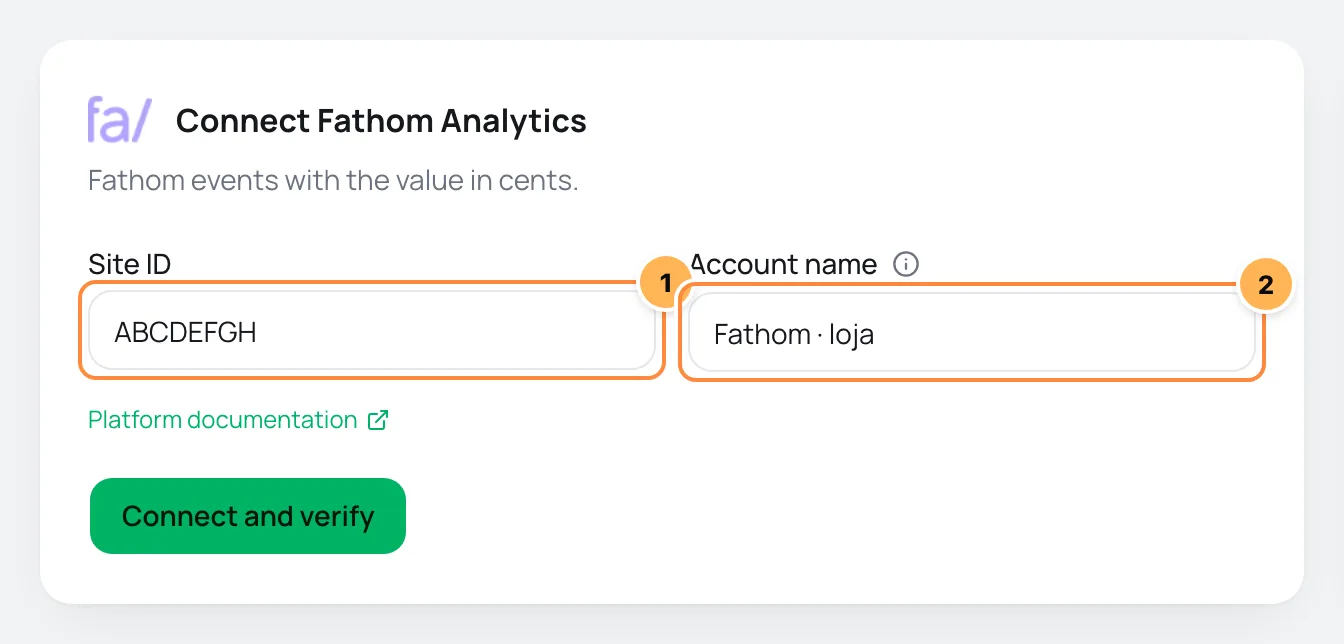
| # | Field | What to paste |
|---|---|---|
| 1 | Site ID | The Site ID from step 1, such as ABCDEFGH. |
| 2 | Account name | A name to recognize the account, such as "Store Fathom". If left blank, it is "Fathom Analytics". |
- Click Connect and verify and then Continue.
- Check the products where the script should load and click Finish. Turn on Use automatically on new products to include products created later.
Step 3: test
- Open the checkout of a product linked to the account.
- In the Fathom dashboard, the visit shows among current visitors, and the
checkoutevent shows in the events list. - In Vipter, the account's Connection tab shows when the first event was received, after someone fills in their details on the checkout.
It worked if
Fathom shows the checkout visit and the checkout event. After the first sale, the purchase event shows with the value.
What Vipter sends to Fathom
| Event in Vipter | Event in Fathom |
|---|---|
| Page view | Visit, recorded by Fathom's own script |
| Checkout started | checkout |
| Lead (contact filled) | lead |
| PIX generated | pix generated |
| Purchase | purchase |
- Each event carries the value in cents, calculated from the Conversion value chosen in What to send. Vipter sends only the number; Fathom shows the value in the currency set on its site. If you sell in more than one currency, choose the project's currency in Value currency. See events and values.
- Fathom doesn't receive Shipping chosen, Payment started, Subscription started, Renewal or Refund / chargeback.
Common problems
-
No visit shows in Fathom
The Site ID is wrong or belongs to another site. Copy it again from the site settings in Fathom and correct it in Connection.
-
Two Fathom accounts on the same product, and only one receives
The checkout loads a single Fathom site per product. Keep one Fathom account on each product.
-
Nothing arrives when the buyer declines cookies
With the consent banner on, the script only loads after the buyer accepts.
What to do next
- Paste the UTM script on your sales page to keep the visit's source all the way to the checkout.
- See also Connect Plausible.