Connect Hotzapp
Send PIX generated, sales, declines, past-due subscriptions and abandoned checkouts to Hotzapp so it recovers sales over WhatsApp.
With Hotzapp connected, Vipter sends each order and each abandoned checkout to the Hotzapp store, with the buyer's phone. Hotzapp uses this data for its WhatsApp recovery messages, such as reminding the buyer to pay a generated PIX (Brazil's instant payment) or to resume a cart.
Before you start, it helps to read how automations work.
Before you start
- A Hotzapp account on the Growth plan or higher. The order webhook integration is only supported from that plan on.
- The Admin or Owner role in the Vipter project.
- The checkout asking for the buyer's phone. Without a phone, Hotzapp does not receive the event.
Step 1: copy the order webhook URL in Hotzapp
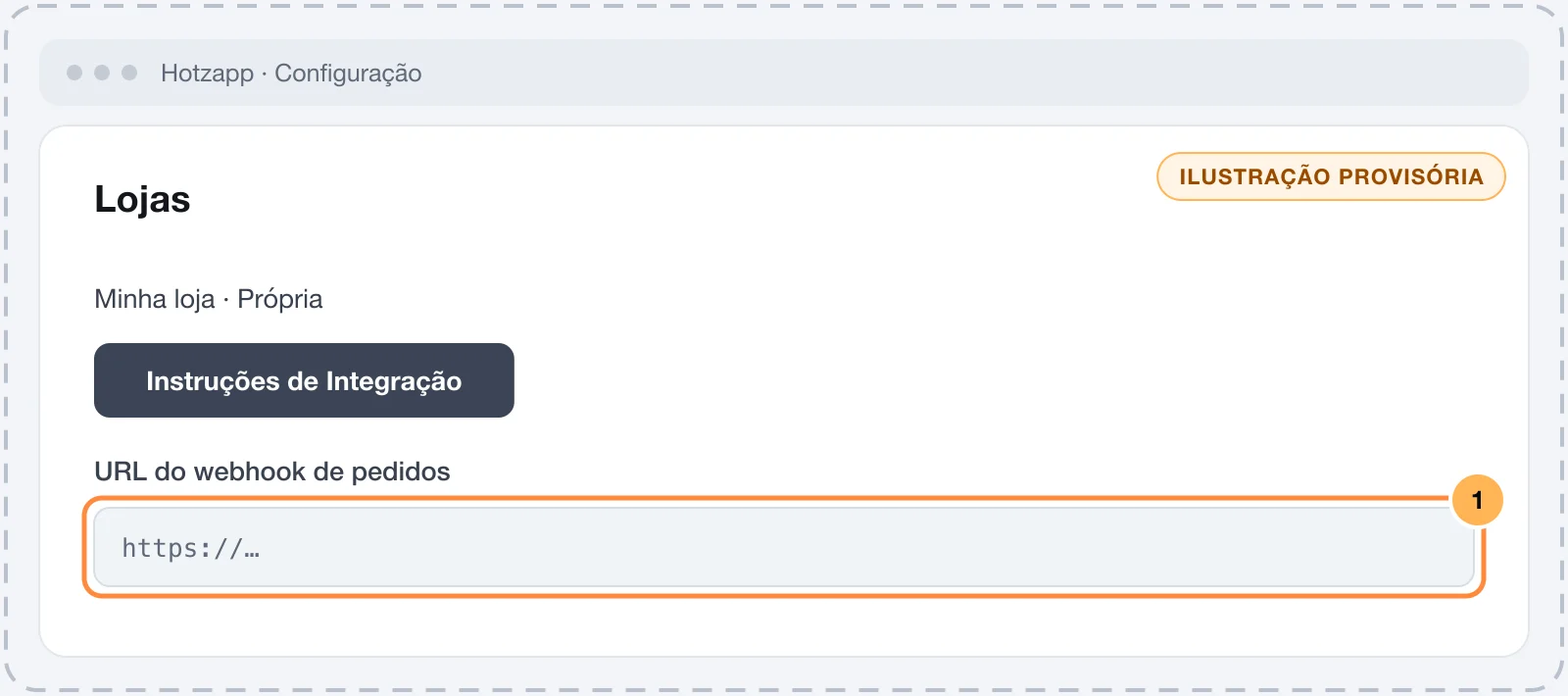
- In Hotzapp, open ConfiguraçãoLojas (Settings › Stores).
- Create a store and choose Própria (Own) as the platform.
- In the store, click Instruções de Integração (Integration instructions) and copy the order webhook URL.
The URL works like a password
Anyone with the URL can send orders to your Hotzapp store. Paste the URL only into Vipter.
Step 2: connect in Vipter
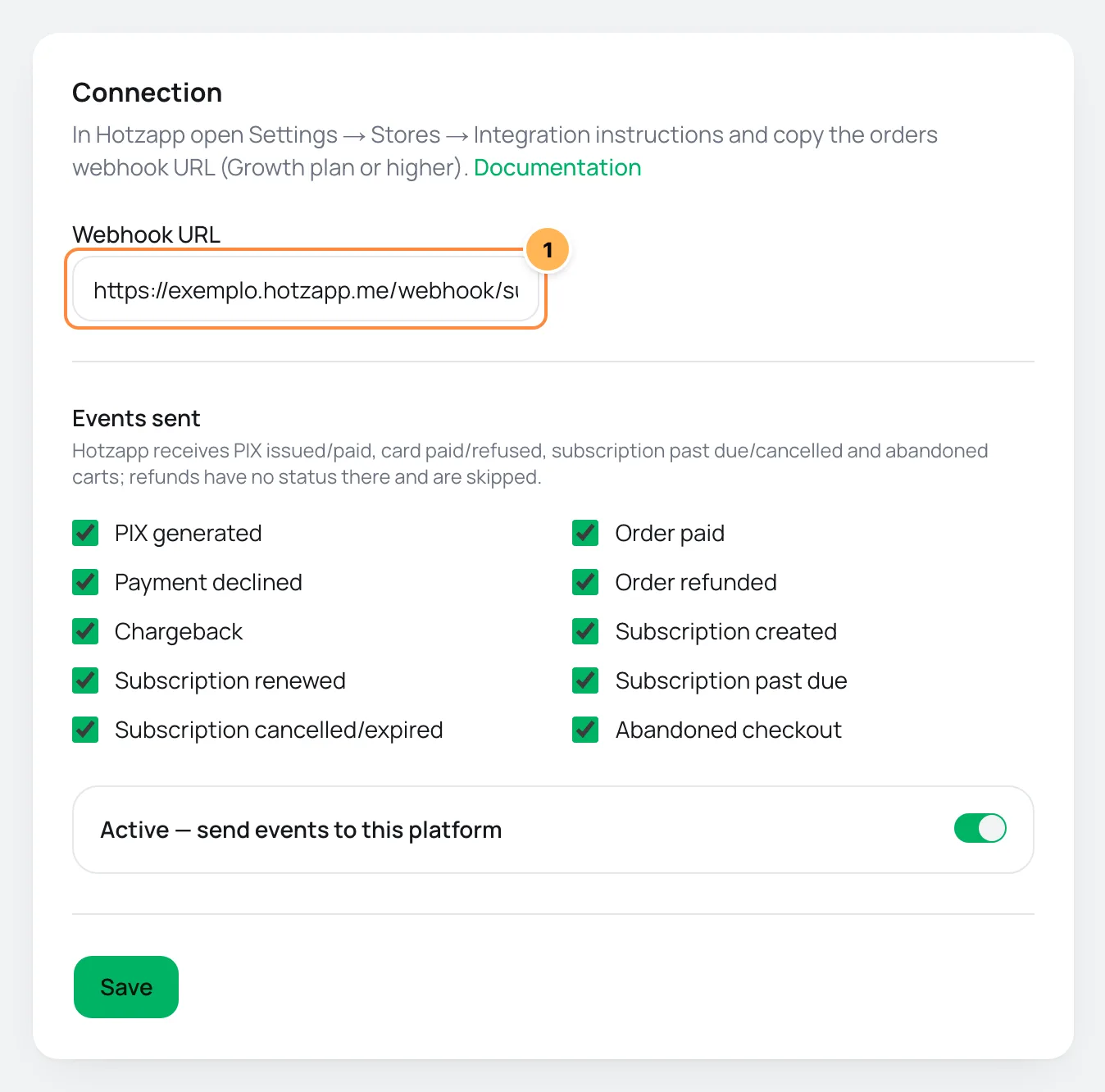
- In the Vipter dashboard, open GeneralIntegrationsAutomationsHotzapp.
- Under Connection, fill in the field.
| # | Field | What to paste |
|---|---|---|
| 1 | Webhook URL | The order webhook URL you copied in step 1. It must start with https://. |
- Under Events sent, uncheck what you don't want to send.
- Leave Active — send events to this platform on and click Save.
Hotzapp does not use rules per offer: every sale of the project goes to the same store.
Step 3: test
Hotzapp has no test button in Vipter. Open the checkout of an offer, fill it in with your e-mail and your phone and generate a PIX, without paying. Then reload the Hotzapp page in Vipter.
It worked if
The PIX generated event shows as sent under Recent deliveries and the order shows up in Hotzapp as a generated PIX, with your phone.
What Hotzapp receives
Hotzapp receives PIX issued/paid, card paid/refused, subscription past due/cancelled and abandoned carts; refunds have no status there and are skipped.| Event in Vipter | In Hotzapp |
|---|---|
| PIX generated | Order issued, with the PIX code |
| Order paid | Order paid |
| Payment declined | Order refused, with the decline reason |
| Subscription renewed | Order paid, with the subscription active |
| Subscription past due | Order refused, with the subscription past due |
| Subscription cancelled/expired | Order refused, with the subscription cancelled |
| Abandoned checkout | Abandoned cart, with the link to resume the purchase |
| Order refunded, Chargeback, Subscription created | Not sent. They show as skipped |
- Amounts go in reais (R$), such as
197.00, and the currency asR$. - A Brazilian phone number goes without the
55, such as11988887777. - Each order bump becomes one more item in the order, with its own price.
- The sale's UTMs go along, and the
utm_sourcealso goes as the order source.
Common problems
-
Enter an https:// URL
The URL must start with
https://. Copy it again from Instruções de Integração. -
The event shows as skipped with "customer has no phone"
The buyer did not enter a phone. Make the checkout ask for the phone.
-
The event shows as skipped with "Hotzapp has no status"
It is a refund, a chargeback or a subscription created. Hotzapp has no status for these events. Uncheck them under Events sent to clean up the list.
-
The event shows as failed
Hotzapp rejected the order. Check that the URL is from the right store and that your Hotzapp plan is still Growth or higher. The failed event is not resent.
What to do next
- Understand the events and delivery statuses.
- To e-mail the buyer, connect an e-mail provider.
Connect Voxuy Enterprise
Run a Voxuy Enterprise flow on every PIX generated, sale, decline, subscription and abandoned checkout, with one flow per event or per offer.
How member areas work
Learn when Vipter grants and removes the buyer's access in MemberKit, Cademí or Membox, how rules per offer work and where to check each delivery.