Activity log
See who changed what in the store, when, and exactly what changed, from the dashboard, the Agent, the API and the customer portal.
The activity log keeps every change made in the store: a price edited, a coupon created, a refund, a team role changed, a subscription paused by the customer in the portal. Each line says who did it, what they did, on which item and when, in the store's time zone.
Before you start
- The Admin or Owner role in the project. The Sales role does not see the log.
Open the log
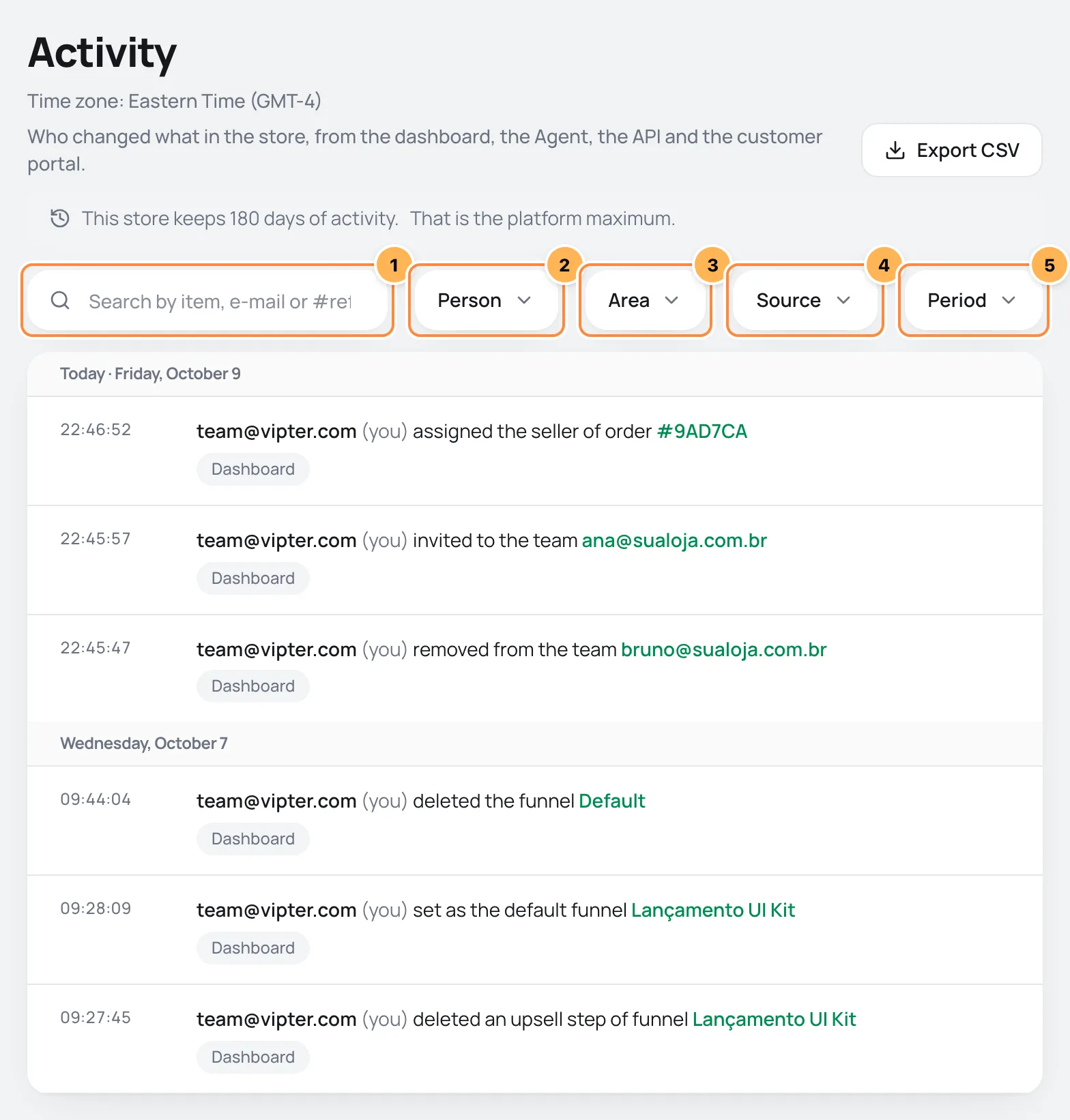
Open GeneralSettingsActivity. Changes show newest first, grouped by day. Under the title, the page names the time zone of the times: it is the store's, the same one e-mails and reports use.
What each line shows
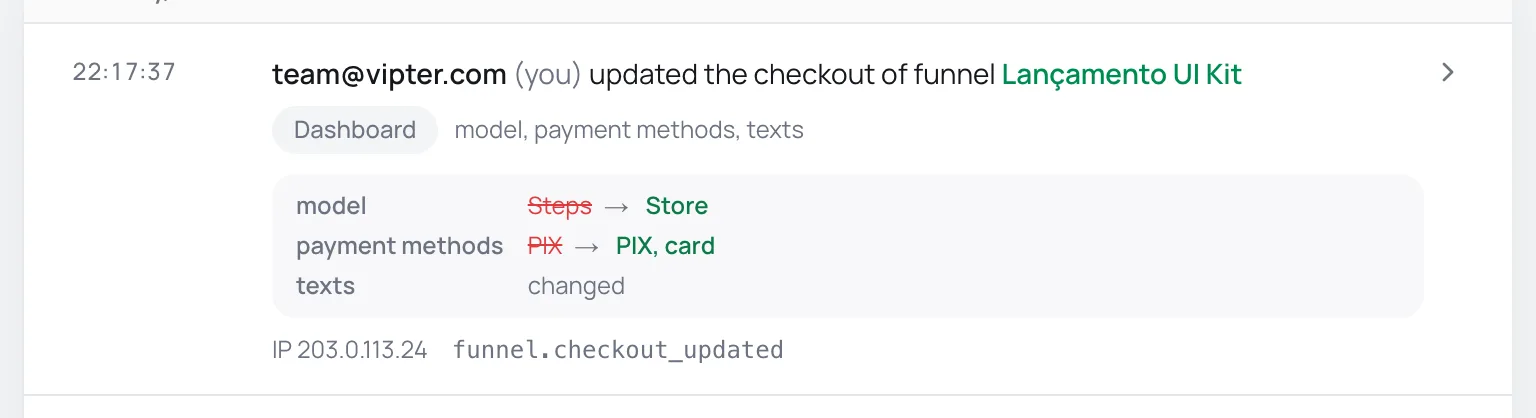
- Who. A team member always shows by the e-mail they sign in to Vipter with, never by their name, which they can change in their profile. The e-mail is stored when the change is made, so the line stays right after the person leaves the team. When it was not a team member, the line says who it was: an API key by the key's name, a customer in the portal by their e-mail, Vipter support, or Vipter (automatic) for what Vipter does on its own.
- What and on which item. A sentence such as "updated the offer Monthly Kit". The item's name is a link when it has a page in the dashboard.
- The source. Dashboard, Agent, API, Portal, Automatic or Vipter support.
- What changed. Click the line to see, field by field, the old value and the new one. Long texts are cut. Structured fields, such as a theme's colours or a funnel's rules, only say that they changed. Passwords, tokens and keys are never stored: the line only shows that they were replaced.
- IP and request ID. Also in the open line, to match with support or with the API log.
Filter
Above the list are the search and the filters, numbered in the screenshot above:
- The search finds by item (name, coupon code, a reference such as #77004E), by the e-mail of who did it, or by the action code.
- Person: only what one person or one key did.
- Area: only one part of the dashboard, such as Products and offers or Team.
- Source: only what came from the dashboard, the Agent, the API, the portal or automatic jobs.
- Period: a date range within what the plan keeps.
How long it is kept
It depends on the plan of the store owner's account:
| Plan | Activity history |
|---|---|
| Lite | 7 days |
| Start | 30 days |
| Grow | 60 days |
| Pro | 90 days |
| Max | 180 days |
- 180 days is the maximum for any store.
- A daily cleanup deletes what is past the limit. Moving to a smaller plan shows the new limit at once, and the next cleanup deletes what fell outside it. The plan change warns you first.
- Moving to a bigger plan does not bring back what was already deleted.
- The limit applies to the log only. Orders, invoices, refunds and subscriptions stay stored as always.
See the other limits in Plans and limits.
History on each item
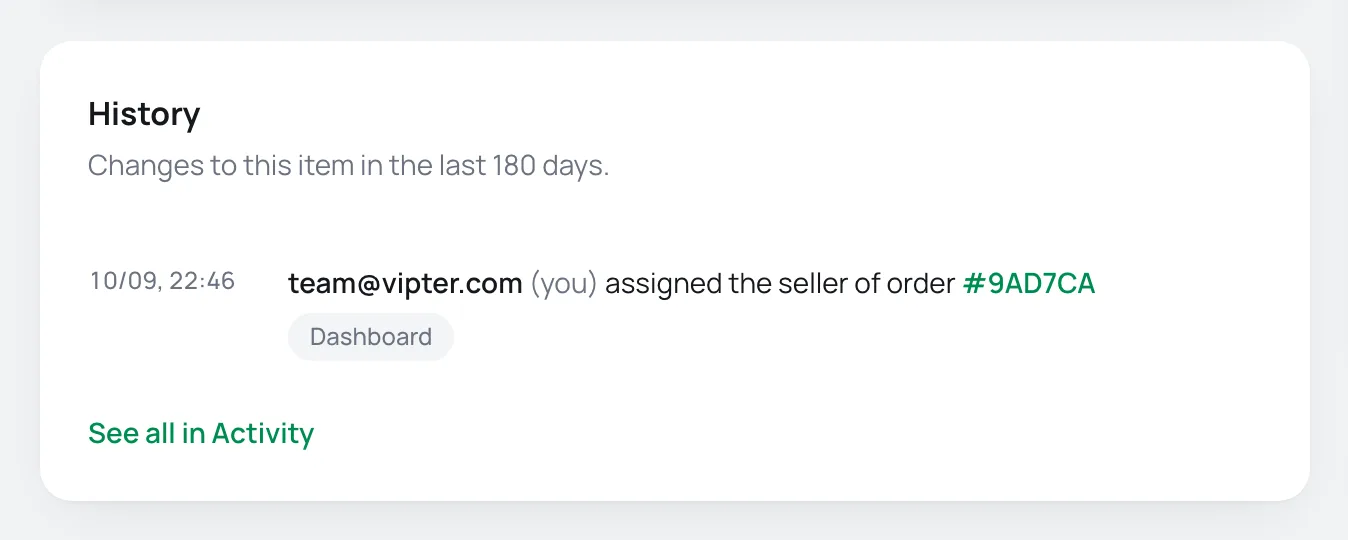
The order, customer, subscription, coupon, product, offer, funnel and quick link pages have the History card, with the latest changes to that item. See all in Activity opens the log already filtered by it.
Export to CSV
Click Export CSV. The file uses the page's filters and arrives by e-mail in a few minutes, with a link valid for 7 days, like report exports.
Ask the Agent
If the Agent is on for the store, it searches the log for you: "who changed the price of the Monthly Kit?" or "what did ana@store.com change yesterday?". It follows the same access rule as the page.
What is not in the log
- What the payment platform does on its own, such as a paid order, a renewal or a chargeback. That is in the order's and the subscription's timeline.
- Questions to the Agent, customers signing in to the portal and connection tests, which change nothing in the store.
- Usage events sent through the API, which are in the request log in Developers: keys and logs.
Common problems
-
I cannot find the page
Your role is Sales. Ask an admin or the owner to change your role in Team and invitations.
-
An old change is gone
It passed the plan's limit. The banner at the top of the page says how many days the store keeps.
-
Removed user
The change was made by an account that no longer exists in Vipter, before the e-mail started being stored on each line.
What to do next
- See what each role can do in Roles and permissions.
- Compare the plans in Plans and limits.
Developers: keys and logs
Create and revoke API keys, follow the calls your integration makes to the Vipter API in the request logs and understand the API-turned-off notice.
Plans and limits
Price, order quota, overage and limits of each Vipter plan, where to track the account's plan and how to change or cancel it.